

How to move your paper menu to a digital menu with a QR code
A digital menu with a QR code lets a customer open your menu on their phone just by pointing the camera at a printed square on the table. For you it means changing a price or removing a sold-out dish without reprinting anything. Moving from paper to screen takes an afternoon if you know what you need and which mistakes to avoid.
What you need before you start
- The complete, up-to-date menu, with the name of each dish, a short description and the price. If your paper menu has old prices, now is the time to correct them.
- The allergens in each dish. Food information rules usually require you to provide them (check the ones for your area), and it's much easier to have them written down from the start.
- Photos of the dishes, if you have them. They aren't compulsory, but a menu with photos is understood faster. If you don't have them, you can start without and add them later.
- A photo or a PDF of your current menu, if the tool you use can read it so you don't have to type it all.
- A tool that turns all of this into a digital menu and gives you a QR code.
Step by step
- Organise the menu. Group the dishes into clear sections (starters, mains, desserts, drinks) and decide the order. A digital menu is scrolled with a finger: long sections tire people out.
- Upload the menu. With Fundido you can start from a photo or a PDF of your paper menu and it becomes a digital menu. Depending on the tool, you may have to type the dishes in one by one.
- Check every dish. Check names, prices and descriptions. Tools that read a menu from an image can get a price or a word wrong: the checking is up to you.
- Add allergens and photos. Note the allergens of each dish and upload the photos you have, starting with the dishes you most want to sell.
- Generate the QR code and print it. Put it on a stand that can be seen from the chair, with a short line saying what it is ("Scan to see the menu"). Make it big enough for a camera to read without having to get too close.
- Test it on several phones. Ask three people with different phones to scan the QR code and go through the menu. If someone gets stuck, your customers will too.
- Keep a paper menu as a backup. Some customers will have no battery or no data, or will simply prefer paper.
Typical mistakes
A PDF that's hard to read on a phone
Uploading the PDF of the paper menu seems the quickest route, but on a phone it forces people to zoom in and slide the page sideways to read a single line. A digital menu should be a page designed for phones, with text at a comfortable size and the dishes one below the other.
A QR code that expires
Some tools offer a free QR code that stops working after a while or when you stop paying for a plan. If you've already printed it for the tables, you're left with a useless square. Before printing, ask what happens to the QR code if you change plan or stop paying.
Leaving out the allergens
A dish with no allergens makes the customer ask the waiter, and makes you answer from memory. Show them on every dish, with symbols or text, and keep them up to date when you change a recipe.
Having no photos
A text-only menu makes people imagine the dish. Photos help people decide, especially for dishes whose name doesn't say much. If the photos you have are phone photos and you're not happy with them, you can start with the best ones and improve the rest later.
Forgetting prices and sold-out dishes
The big benefit of a digital menu is that you can change it in minutes. If you don't update it, it loses that advantage. Set aside a fixed time to check it, for example at the start of the week.
What to look for when choosing a tool
- A page for phones, not a PDF. Open it on your own phone before you decide.
- A QR code that doesn't expire, and a clear answer on what happens to it if you change plan.
- A field for the allergens of each dish.
- Support for photos that load quickly, even if the customer has poor signal.
- The ability to change a price in a minute, from your phone or computer.
- A menu you can show in other languages, if you have visitors from elsewhere.
- A clear price and clear terms. Preferably no lock-in, so you can leave if it doesn't work for you.
- No app to install and no sign-up required for the customer to see the menu.
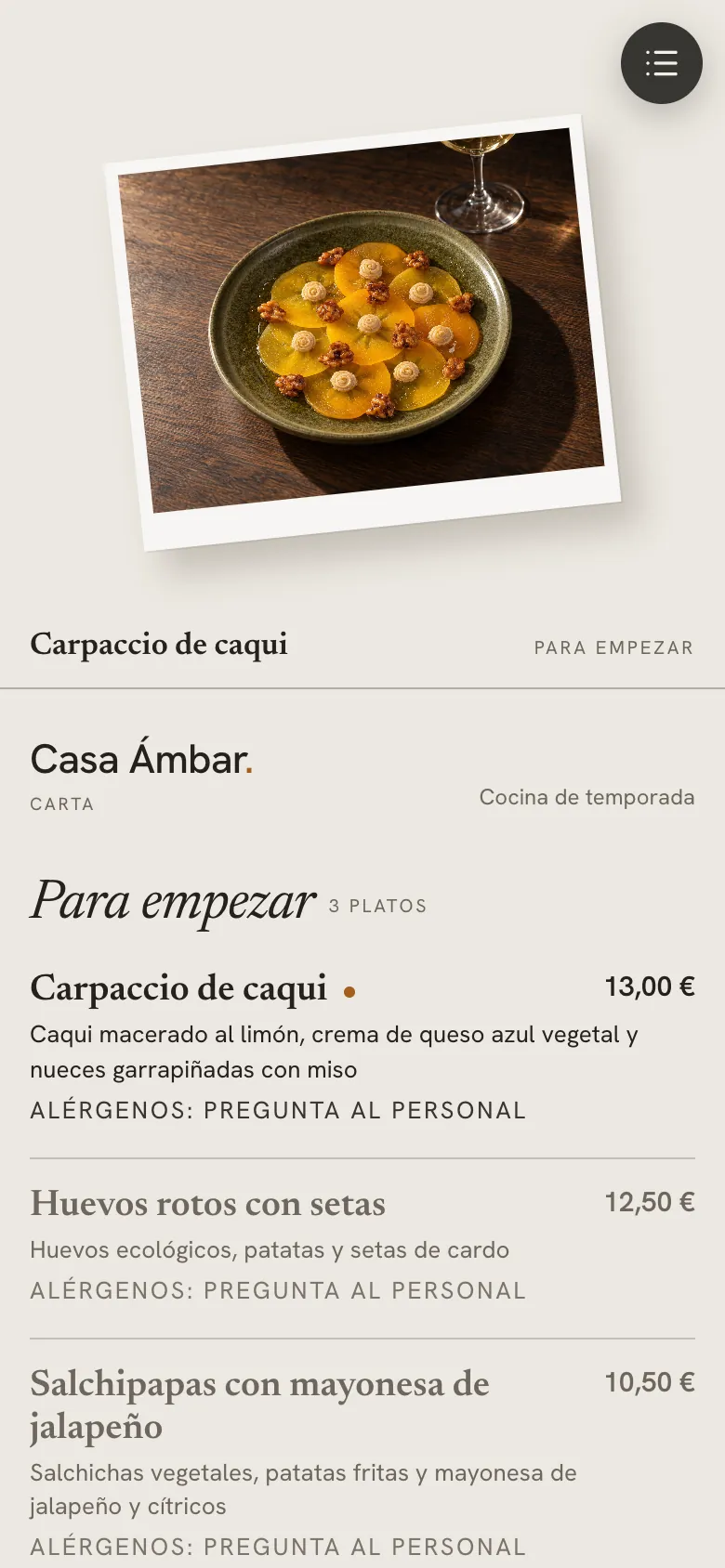
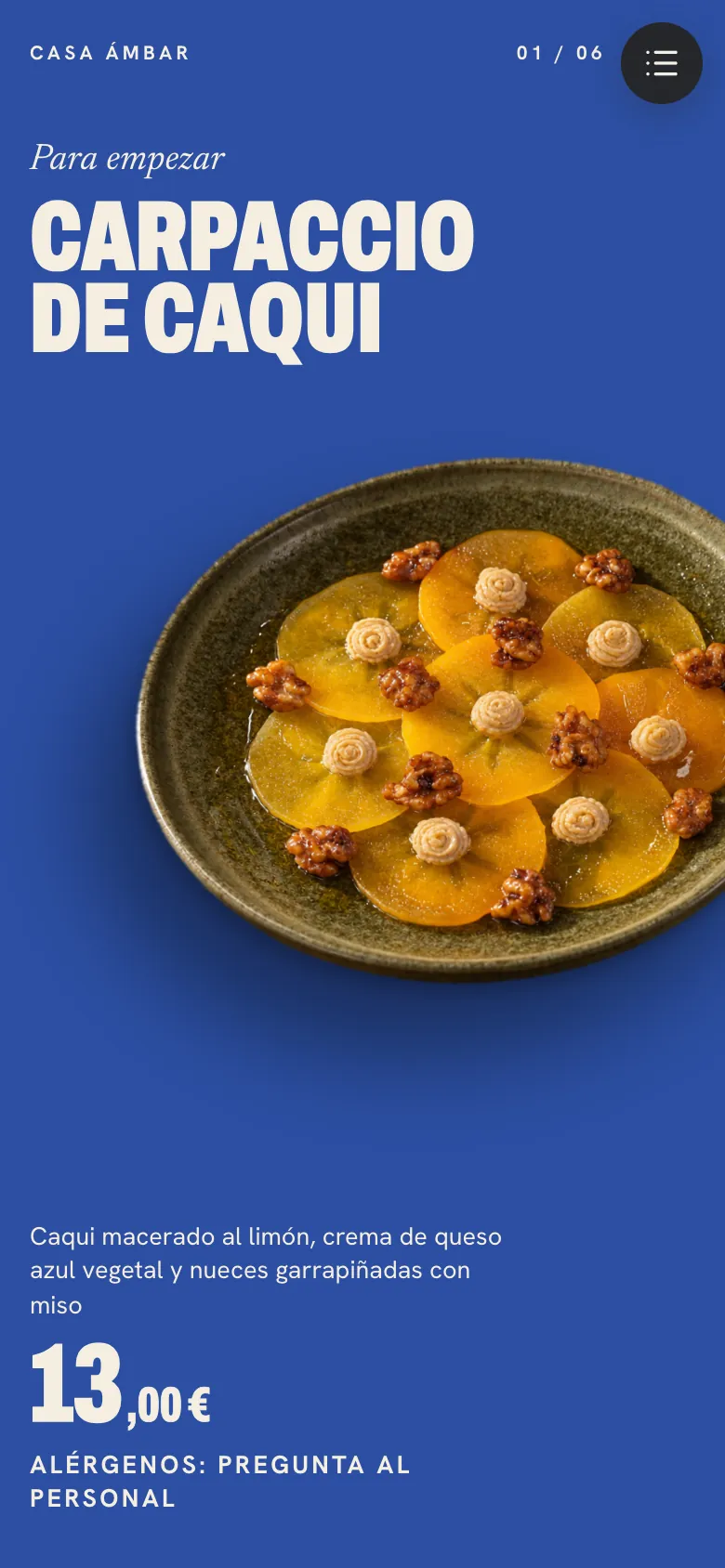
How Fundido handles it
Fundido turns your paper menu into a digital menu from a photo or a PDF, and gives each dish its photo and a QR code for the tables. And if the photos of your dishes don't convince you, you can improve them from the same account: you upload the phone photo and choose the table, the light and the camera in a 3D set, seeing the result before the photo is created. Plans start at €15 a month with no lock-in, and the first 100 venues get 5 free photos for 48 hours.
Frequently asked questions
How long does it take to turn a paper menu into a digital menu?
If you have the menu in order and the allergens written down, an afternoon is enough. The slowest part is checking every price and every description, not the technical process.
Can I change the digital menu whenever I like without changing the QR code?
You should be able to: the advantage of a QR code is that it points to a fixed address and what changes is the menu behind it. Check this in the tool before you print.
Is it compulsory to show allergens on a digital menu?
Food information rules usually require the allergens of each dish to be provided, including on a digital menu; check the ones for your area. Show them on each dish and check they're up to date whenever you change a recipe.
What happens if a customer can't scan the QR code?
That's why it's worth always keeping a paper menu as a backup. And a well-printed QR code, with good contrast and a large enough size, avoids almost every problem.
Do I need photos to have a digital menu?
They aren't compulsory. You can start with text only and add photos of the most important dishes later.